ScreenParse

Moving Beyond Sparse Grounding with Complete Screen Parsing

ICML 2026

1IBM Research Zurich 2ETH Zurich 3Microsoft

* Corresponding author

771K

Screenshots

21M

UI Annotations

55

Semantic Classes

316M

Model Parameters

Abstract

Modern computer-use agents must perceive a screen as a structured state, including what elements are visible, where they are, and what text they contain, before they can reliably ground instructions and act. Yet, most available grounding datasets provide sparse supervision, with insufficient and low-diversity labels that annotate only a small subset of task-relevant elements per screen.

We introduce ScreenParse, a large-scale dataset for complete screen parsing, with dense annotations of all visible UI elements (boxes, 55-class types, and text) across 771K web screenshots (21M elements). ScreenParse is generated by Webshot, an automated, scalable pipeline that renders diverse URLs, extracts annotations, and applies VLM-based relabeling and quality filtering.

Using ScreenParse, we train ScreenVLM, a compact, 316M-parameter vision language model that decodes a structured ScreenTag representation with a structure-aware loss. ScreenVLM substantially outperforms much larger foundation VLMs on dense parsing (e.g., 0.606 vs. 0.294 PageIoU) and shows strong transfer to public benchmarks. Moreover, finetuning foundation VLMs on ScreenParse consistently improves their grounding performance.
The Problem: Sparse Supervision Limits Screen Understanding

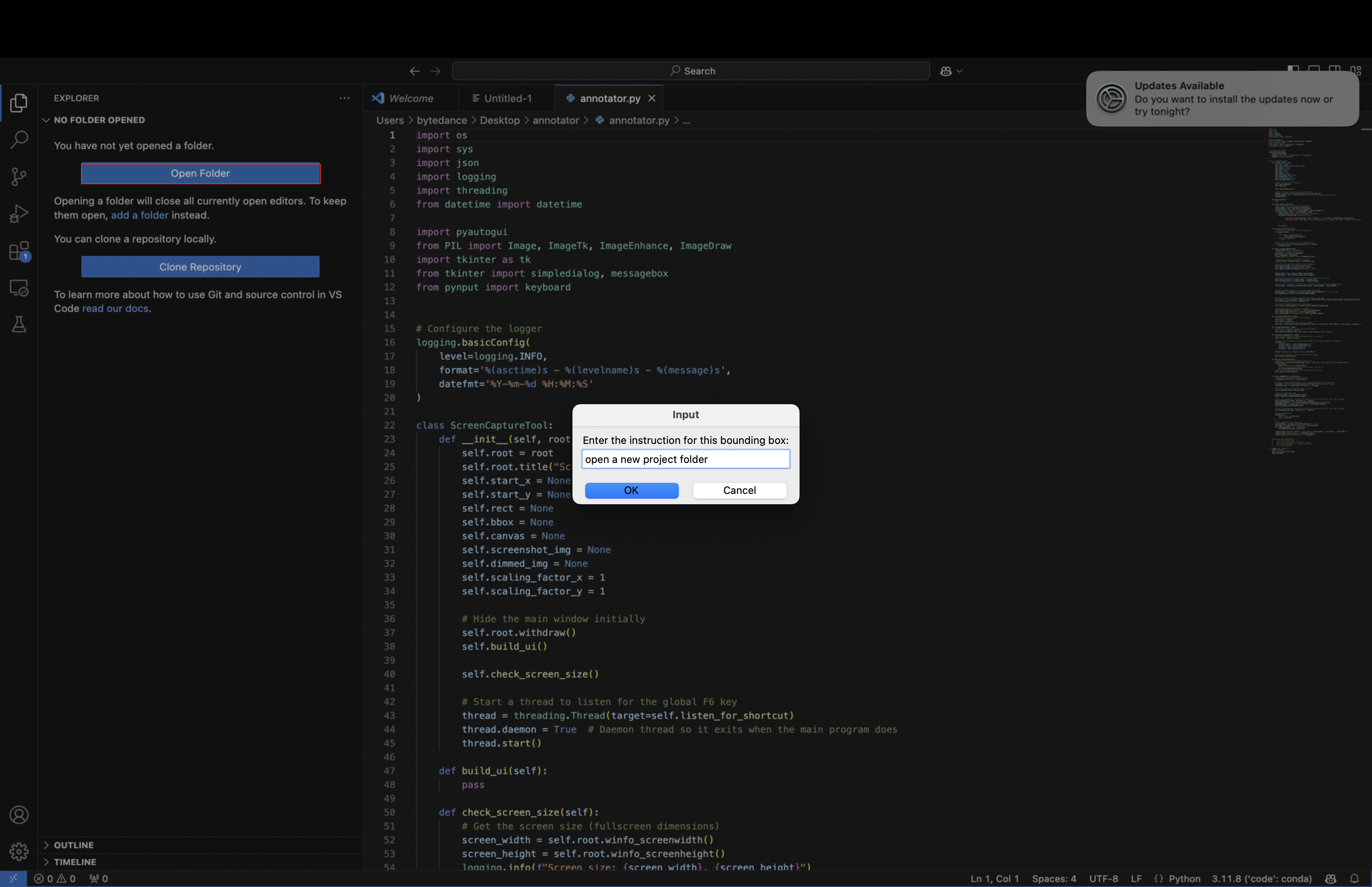
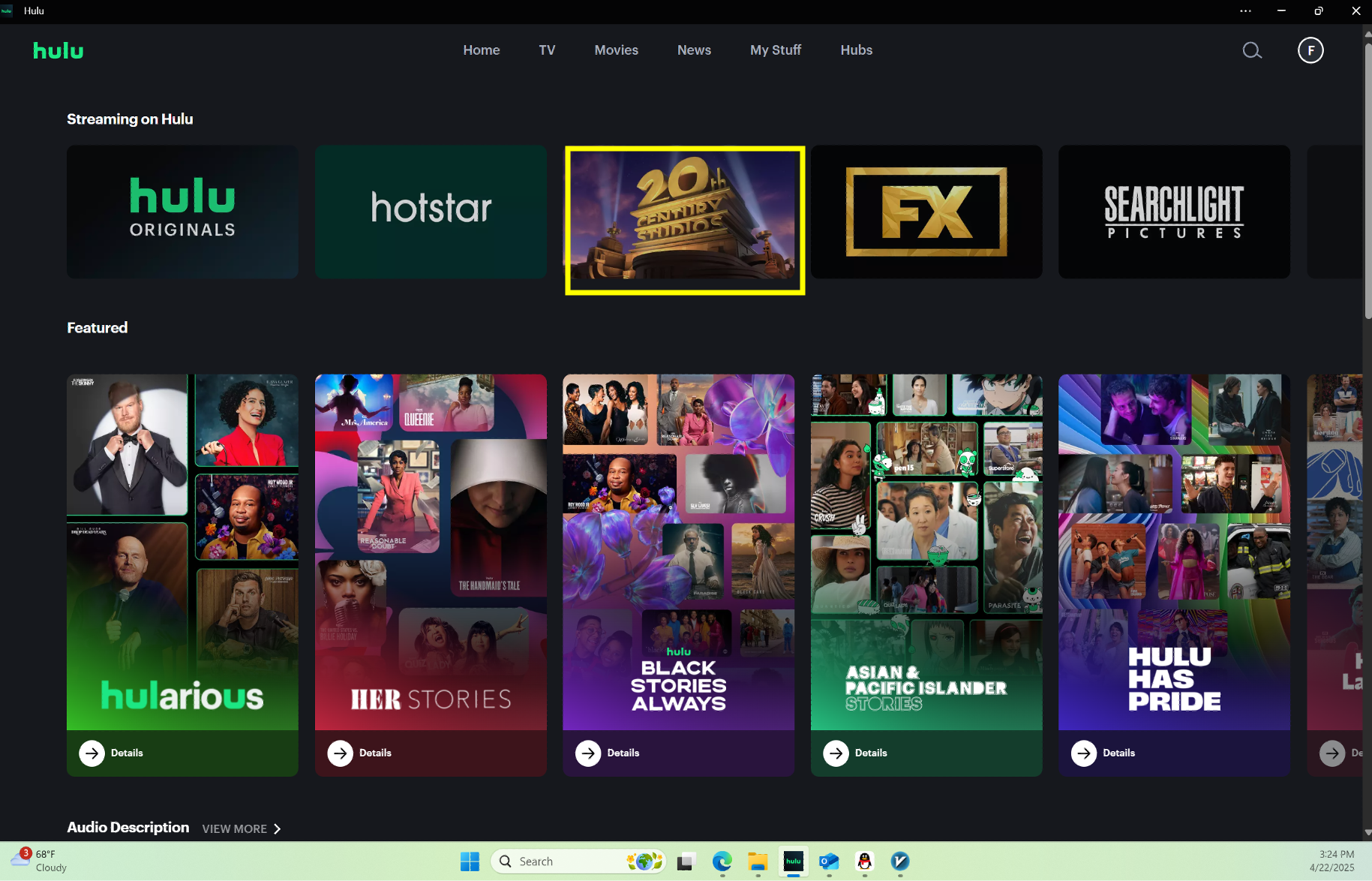
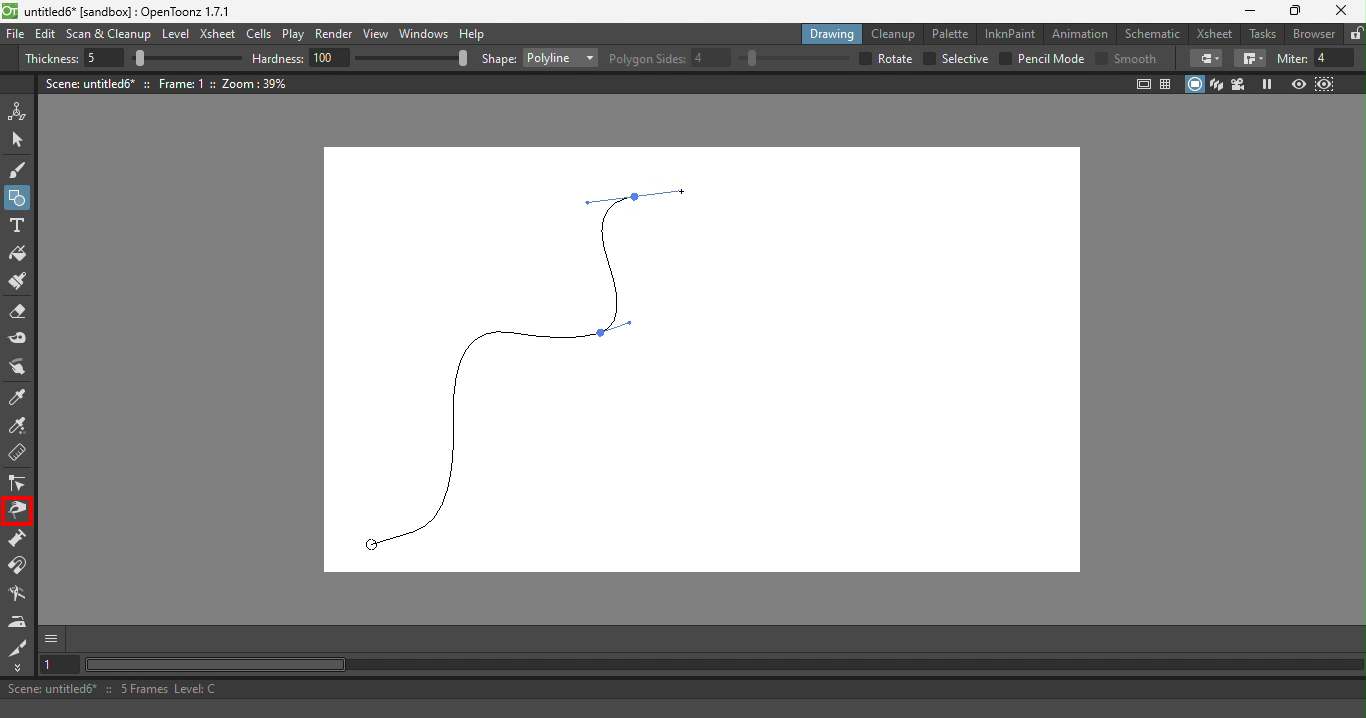
Computer-use agents must perceive screens as structured states before they can reliably ground instructions and act. Yet most grounding datasets provide sparse supervision, annotating only the single element relevant to each task step. This leaves the majority of on-screen elements unlabeled and the full screen structure implicit.

As a result, models can learn shortcuts sufficient for supervised steps while failing to form a complete screen state. When perception fails, errors cascade throughout the agent pipeline, hurting robustness and generalization to new layouts and applications.

We argue that complete screen parsing, recovering all visible UI elements, their bounding boxes, semantic types, and text, is a core training objective for building reliable screen agents.

Sparse Supervision

  • Only task-relevant elements annotated
  • Majority of UI elements unlabeled
  • Models learn shortcuts
  • Poor generalization

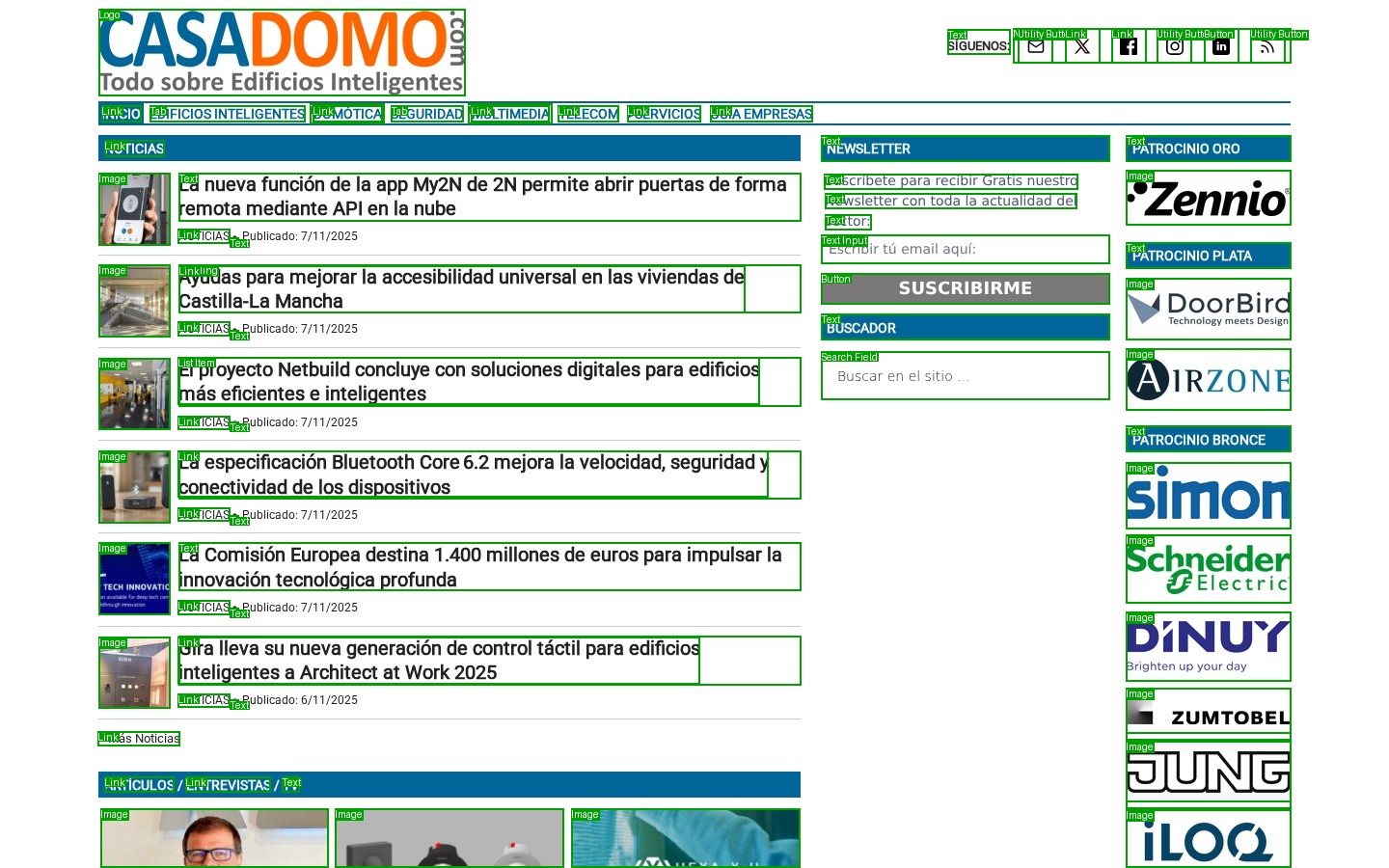
Dense Supervision

  • All visible elements annotated
  • Complete screen structure
  • Holistic understanding
  • Robust generalization

Key Contributions

ScreenParse Dataset

A large-scale dataset with 21M dense UI annotations across 771K screenshots and 55 semantic classes, making it significantly more comprehensive than existing datasets.

Webshot Pipeline

An automated, scalable pipeline for generating dense screen annotations, combining web rendering, accessibility tree extraction, and VLM-based quality filtering.

ScreenVLM

A compact 316M-parameter VLM that outperforms much larger models on dense parsing while being 4x faster and enabling practical deployment.

ScreenParse Dataset

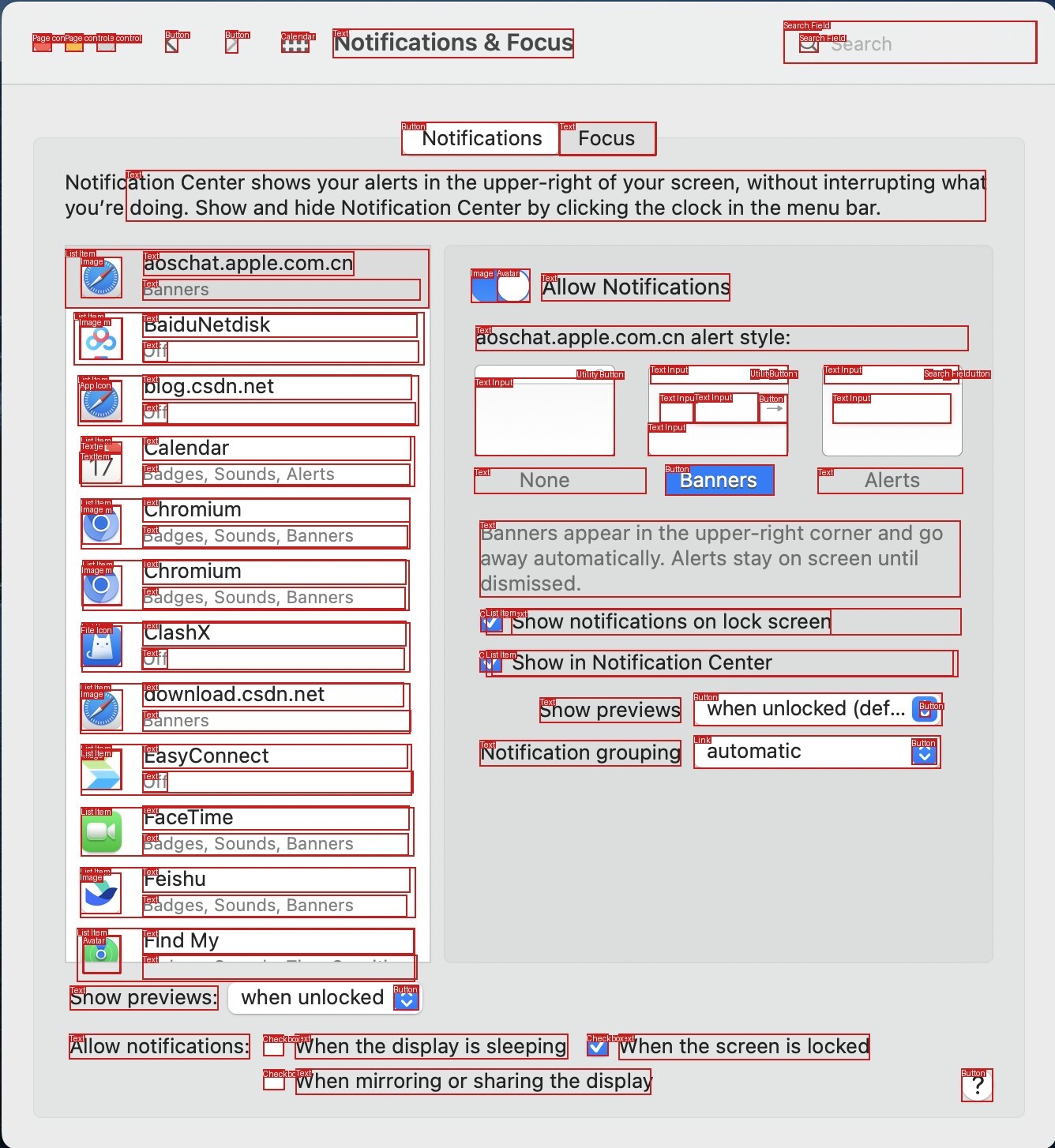
ScreenParse provides complete screen parsing supervision, with dense annotations covering all visible UI elements, not just sparse task-relevant subsets.

Existing approaches suffer from sparse annotations that leave the majority of UI elements unlabeled, limiting both the diversity and coverage of training data. For example, GroundCUA provides only 55K samples with 8 element types. ScreenParse addresses this with dense annotations spanning 771K samples and 55 semantic types, enabling models to develop comprehensive screen understanding rather than learning task-specific shortcuts.

Dataset Complete # Types # Elements # Samples
UGround 1 9M 773K
JEDI 4 4M 575K
AGUVIS-G 1 3.8M 452K
OS-ATLAS 1* 14.5M 1.85M
RICOSCA 1* 170K 18K
UIBert 32 166K 57K
Widget Caption 1 101K 14K
AMEX 2 1.2M 101K
ScreenSpot 2 3M 270K
GroundCUA 8 3.56M 55K
ScreenParse (Ours) 55 21M 771K

* These datasets do not define a well-specified set of UI element types.

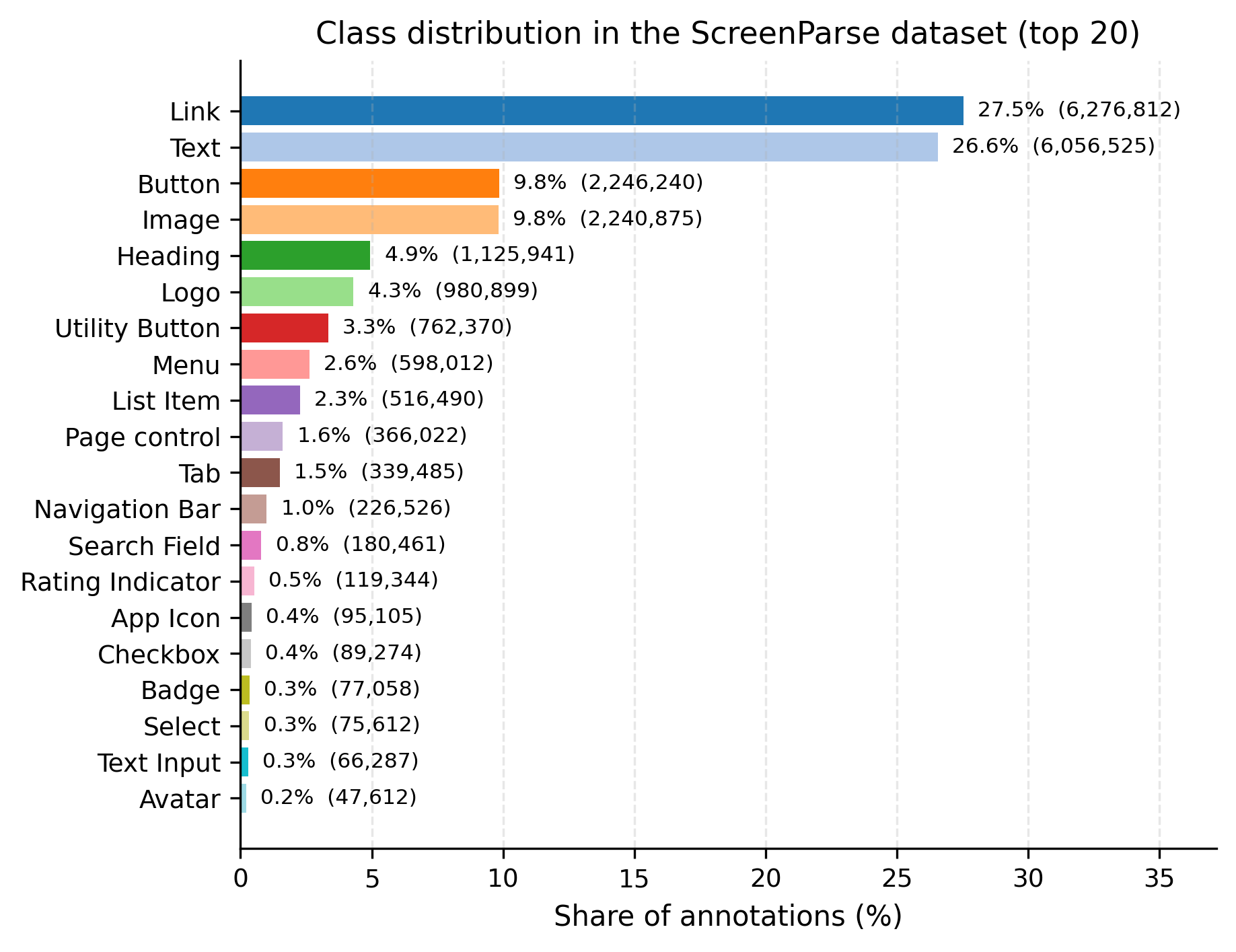
Class Distribution (Top 20)

Class distribution in ScreenParse dataset

Distribution of the 20 most frequent UI element types in ScreenParse. The dataset covers 55 semantic classes total.

Webshot Pipeline

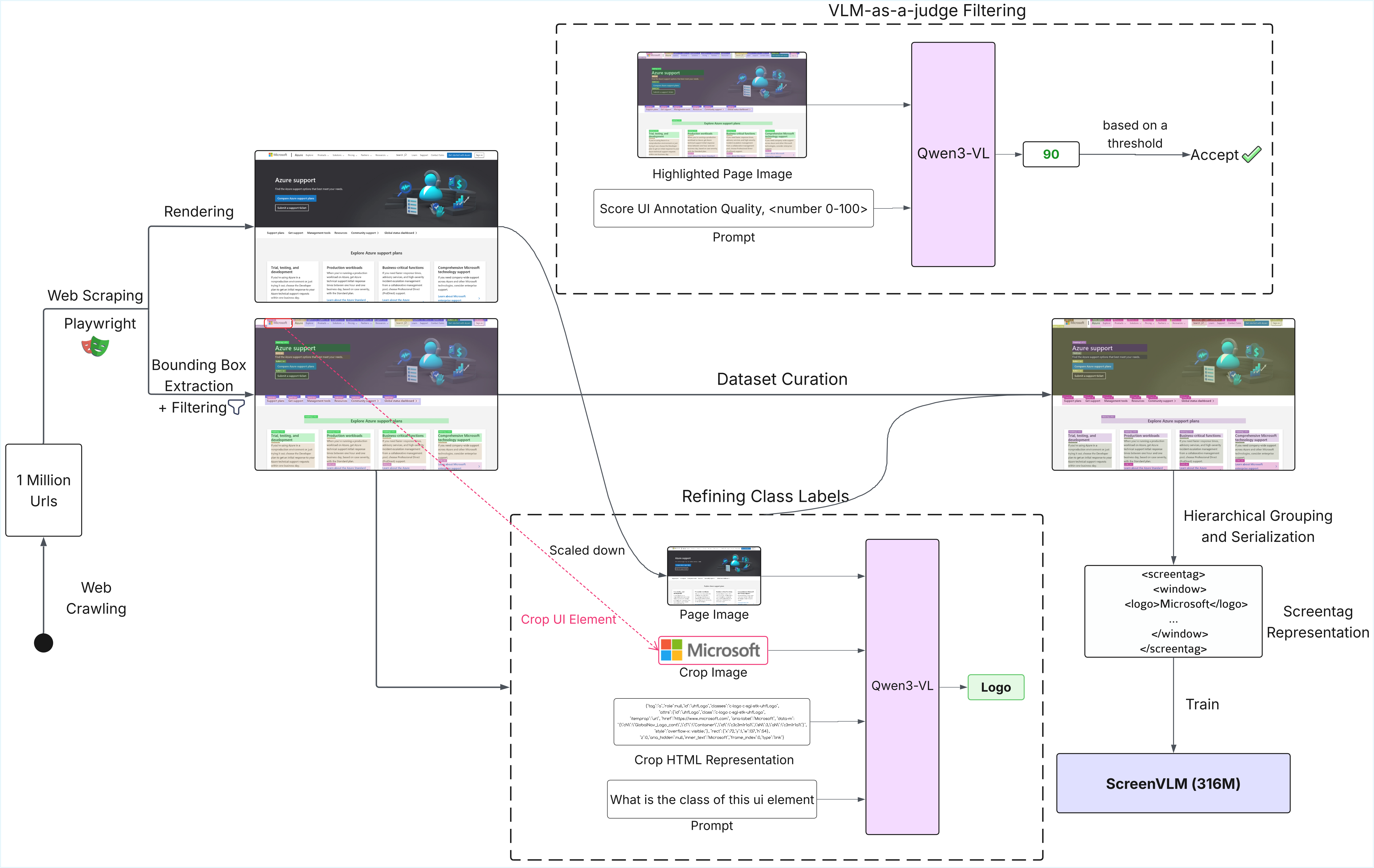
Webshot is an automated, scalable pipeline for generating dense screen annotations from web pages.

Webshot Pipeline Diagram
  1. 1

    Web Crawling

    Collect diverse URLs as the starting point for large-scale screen capture.

  2. 2

    Rendering

    Render each page with Playwright to obtain screenshots and page metadata.

  3. 3

    Bounding Box Extraction + Filtering

    Extract visible UI boxes and remove noisy or invalid candidates.

  4. 4

    Refining Class Labels

    Use page, crop, and HTML context to refine UI element classes.

  5. 5

    VLM-as-a-judge Filtering

    Score annotation quality and curate accepted screen samples.

  6. 6

    Hierarchical Grouping and Serialization

    Group elements into ScreenTag structure for complete screen parsing.

  7. 7

    Train

    Train ScreenVLM on the curated ScreenTag supervision.

ScreenVLM

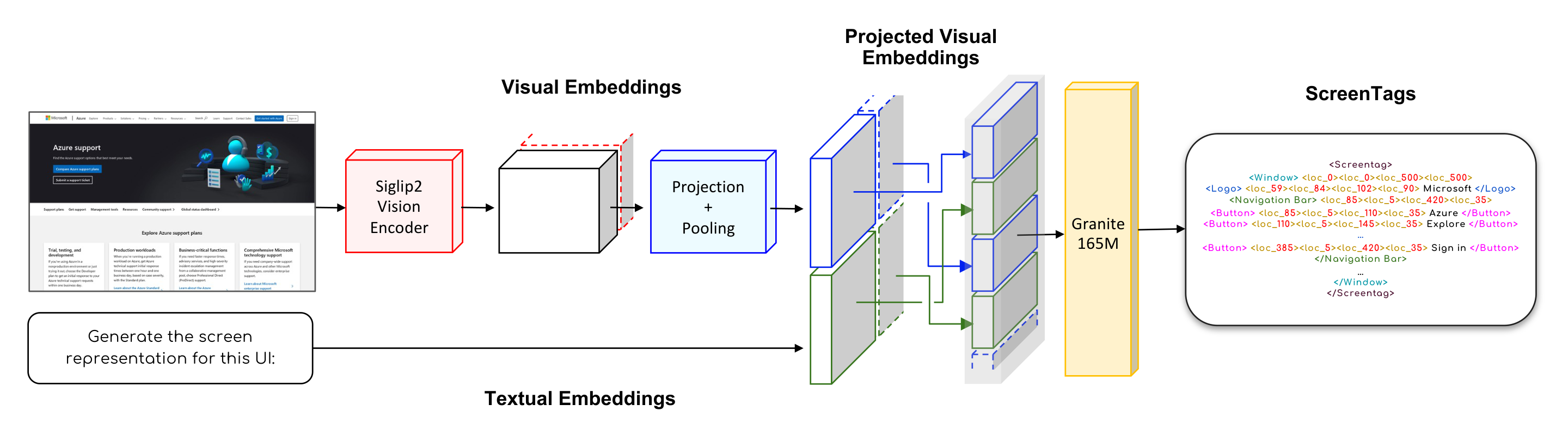
ScreenVLM is a compact 316M-parameter vision-language model that decodes structured ScreenTag representations.

Foundation VLMs (8B+ parameters) are too large for low-latency, on-device deployment, while traditional detector-based parsers lack language-grounded understanding. ScreenVLM bridges this gap: it is compact enough for practical deployment (316M parameters, 4x faster than 2B VLMs) yet retains language-aligned representations that enable structured understanding of UI semantics.

ScreenVLM Architecture Diagram

ScreenTag Output Format

<Screentag>
<Window> <loc_0><loc_0><loc_500><loc_500>
  <Logo> <loc_59><loc_84><loc_102><loc_90> Microsoft </Logo>
  <Navigation Bar> <loc_85><loc_5><loc_420><loc_35>
    <Button> <loc_85><loc_5><loc_110><loc_35> Azure </Button>
    <Button> <loc_110><loc_5><loc_145><loc_35> Explore </Button>
    
    <Button> <loc_385><loc_5><loc_420><loc_35> Sign in </Button>
  </Navigation Bar>
  
</Window>
</Screentag>

316M

Parameters

4x

Faster than 2B VLMs

6x

Smaller memory

Results

ScreenParse Test Set

Model Size PageIoU Label PageIoU mAP@50
Vision-Language Models
Qwen3-VL-8B-Instruct 8B 0.294 - -
Qwen3-VL-2B-Instruct 2B 0.228 0.051 0.023
Qwen3-VL-2B + ScreenParse 2B 0.585 (+0.357) 0.166 (+0.115) 0.152 (+0.129)
InternVL3-2B 2B 0.111 0.030 0.000
InternVL3-2B + ScreenParse 2B 0.509 (+0.398) 0.174 (+0.144) 0.072 (+0.072)
ScreenVLM (Ours) 316M 0.606 0.197 0.303
Detectors / Parsers
OmniParser V2 20M 0.270 - -
OmniParser V2 + ScreenParse 20M 0.503 0.141 0.251
YOLO + ScreenParse 25M 0.533 0.133 0.299
RT-DETRv2 + ScreenParse 43M 0.600 0.172 0.362

GroundCUA Transfer (Out-of-Distribution)

Model Size PageIoU Label PageIoU
Vision-Language Models
Qwen3-VL-8B-Instruct 8B 0.060 0.010
Qwen3-VL-2B-Instruct 2B 0.030 0.005
Qwen3-VL-2B + ScreenParse 2B 0.090 (+0.060) 0.019 (+0.014)
InternVL3-2B 2B 0.025 0.006
InternVL3-2B + ScreenParse 2B 0.203 (+0.178) 0.036 (+0.030)
ScreenVLM (Ours) 316M 0.251 0.043
Detectors / Parsers
OmniParser V2 20M 0.361 0.049
OmniParser V2 + ScreenParse 20M 0.398 0.061

ScreenSpot Benchmark

Model Size Web PC Mobile
Recall PixCov Recall PixCov Recall PixCov
Vision-Language Models
Qwen3-VL-8B-Instruct 8B 0.229 0.346 0.201 0.300 0.193 0.311
Qwen3-VL-2B + ScreenParse 2B 0.477 0.720 0.201 0.443 0.108 0.477
ScreenVLM (Ours) 316M 0.557 0.746 0.222 0.839 0.066 0.847
Detectors / Parsers
OmniParser V2 20M 0.541 0.629 0.483 0.557 0.489 0.521
RT-DETRv2 + ScreenParse 43M 0.768 0.857 0.590 0.699 0.584 0.736

Downstream Action Tasks

We use a fixed Qwen3-VL-8B-Instruct Set-of-Mark pipeline and swap only the detector: OmniParser v2 versus a YOLO detector trained on ScreenParse. Holding OCR, icon captioning, rendering, prompting, and decoding fixed isolates the effect of ScreenParse-trained grounding.

Benchmark / Split Metric OmniParser v2 ScreenParse (YOLO) Delta
Primary benchmark metrics
ScreenSpot Action Acc. 77.8 80.1 +2.3
ScreenSpot-Pro Action Acc. 28.5 30.5 +2.0
Mind2Web (website) Step Success 24.1 27.1 +3.0
Mind2Web (task) Step Success 26.8 27.0 +0.2
Mind2Web (domain) Step Success 28.7 29.6 +0.9
OSWorld-G Overall Acc. 46.67 48.82 +2.15
ScreenSpot domain breakdown
ScreenSpot (Web) Action Acc. 77.1 81.9 +4.8
ScreenSpot (Mobile) Action Acc. 83.5 84.9 +1.4
ScreenSpot (Desktop) Action Acc. 70.4 71.2 +0.8
OSWorld-G capability breakdown
OSWorld-G (Text Matching) Acc. 59.00 61.69 +2.69
OSWorld-G (Element Recognition) Acc. 50.30 50.91 +0.61
OSWorld-G (Layout Understanding) Acc. 53.36 56.13 +2.77
OSWorld-G (Fine-grained Manipulation) Acc. 25.50 29.53 +4.03

Values are percentages and deltas are percentage points. These controlled evaluations measure step-level grounding and action selection rather than full multi-step agent success.

Structure-Aware Loss Ablation

Upweighting tag and location tokens improves dense parsing and out-of-distribution transfer compared with standard cross-entropy, especially on ScreenSpot PC.

Model ScreenParse GroundCUA ScreenSpot Web ScreenSpot PC ScreenSpot Mobile
PageIoU Label PageIoU PageIoU Label PageIoU Recall Recall Recall
ScreenVLM (CE) 0.592 0.192 0.226 0.039 0.541 0.129 0.052
ScreenVLM (Structure-aware) 0.606 +2.4% 0.197 +2.6% 0.251 +11.1% 0.043 +10.3% 0.557 +3.0% 0.222 +72.1% 0.066 +26.9%

Qualitative Examples

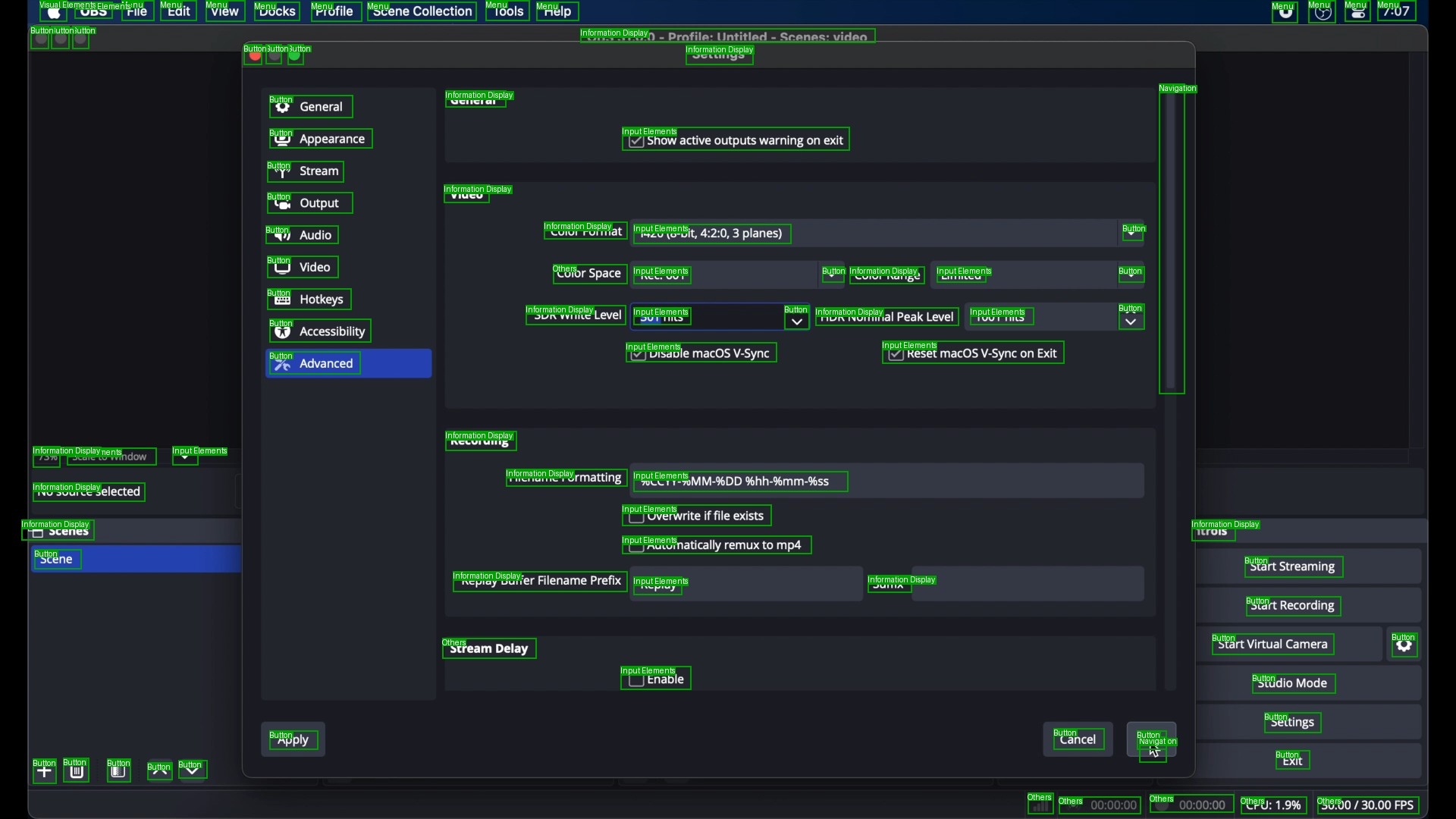
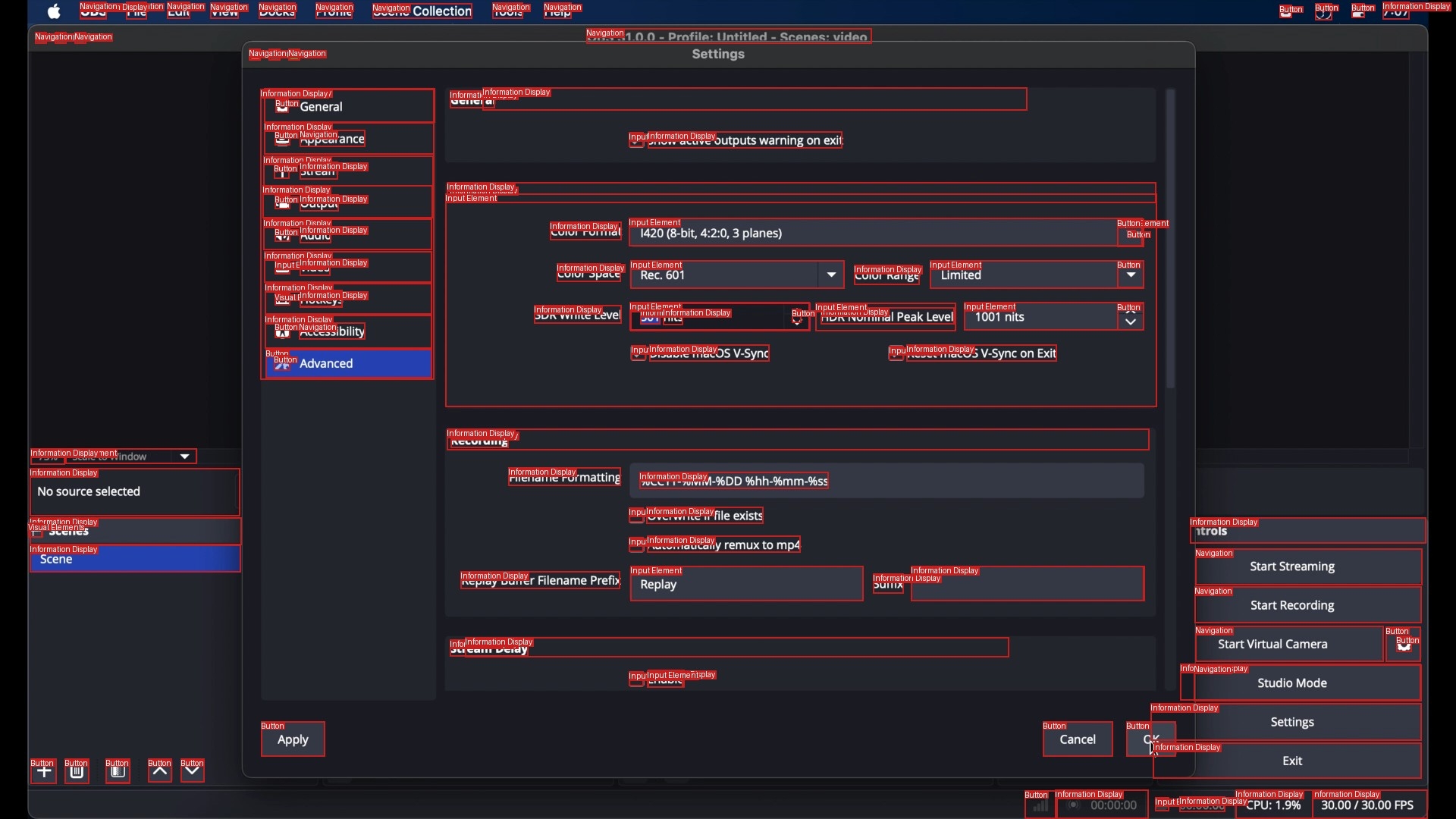
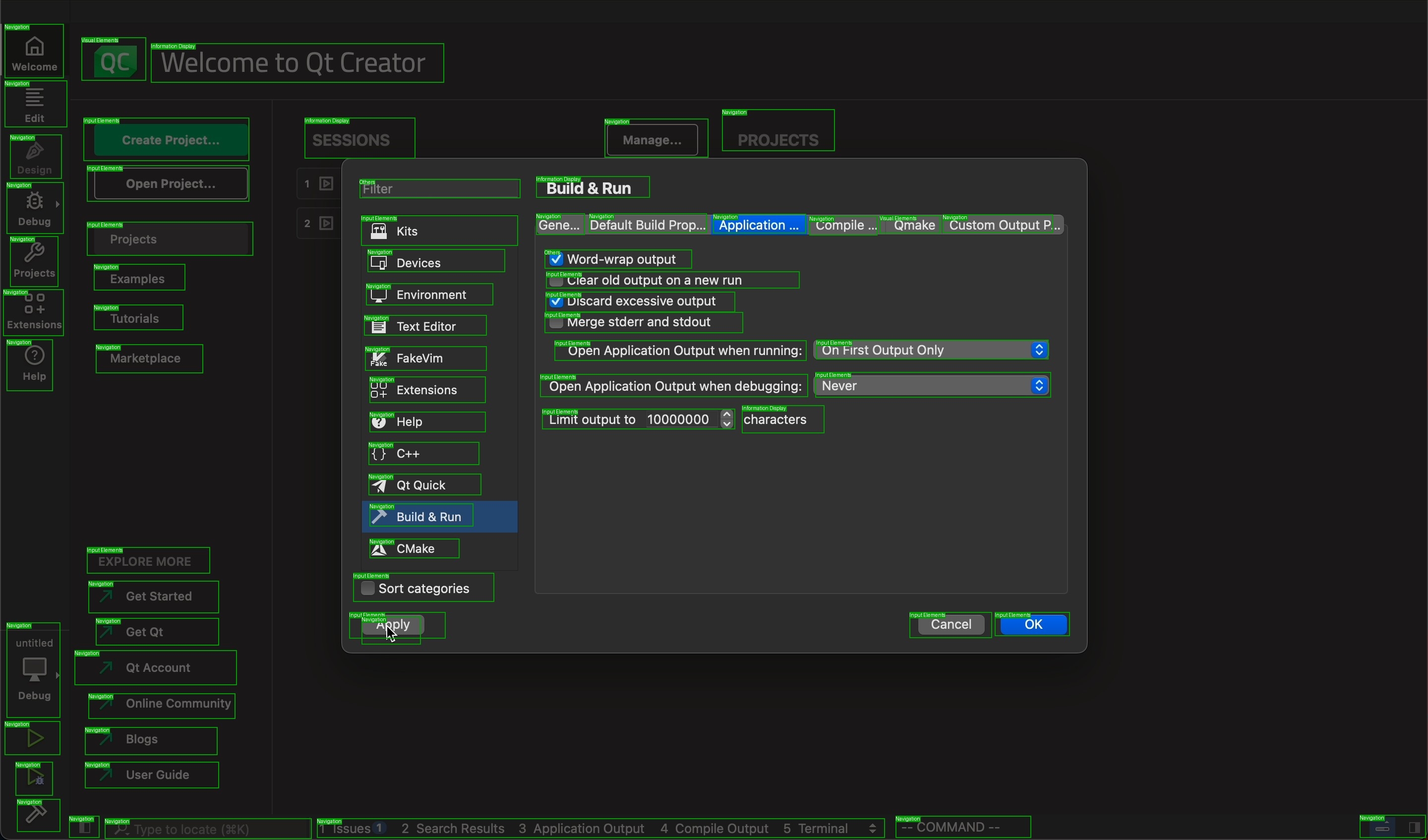
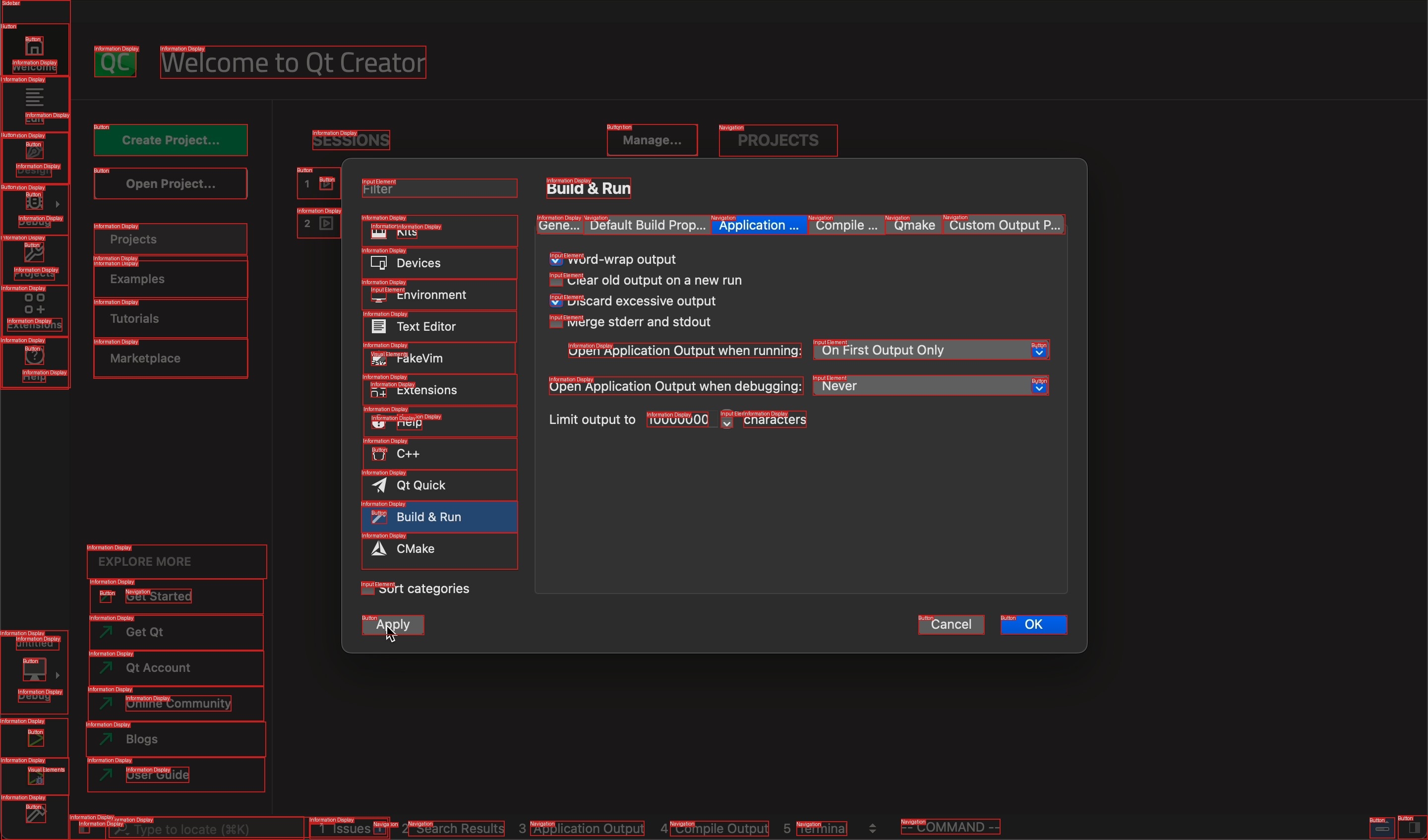
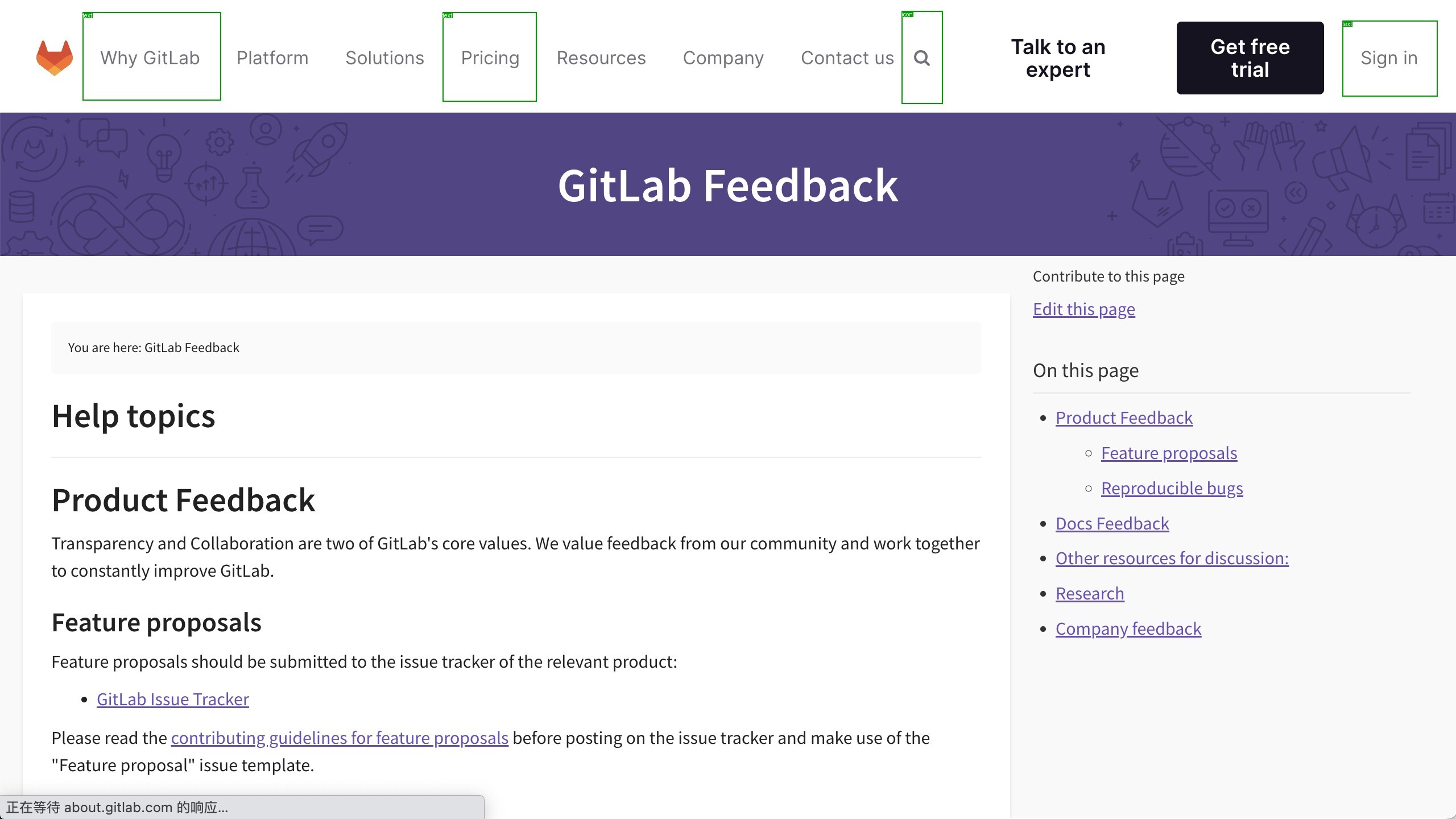
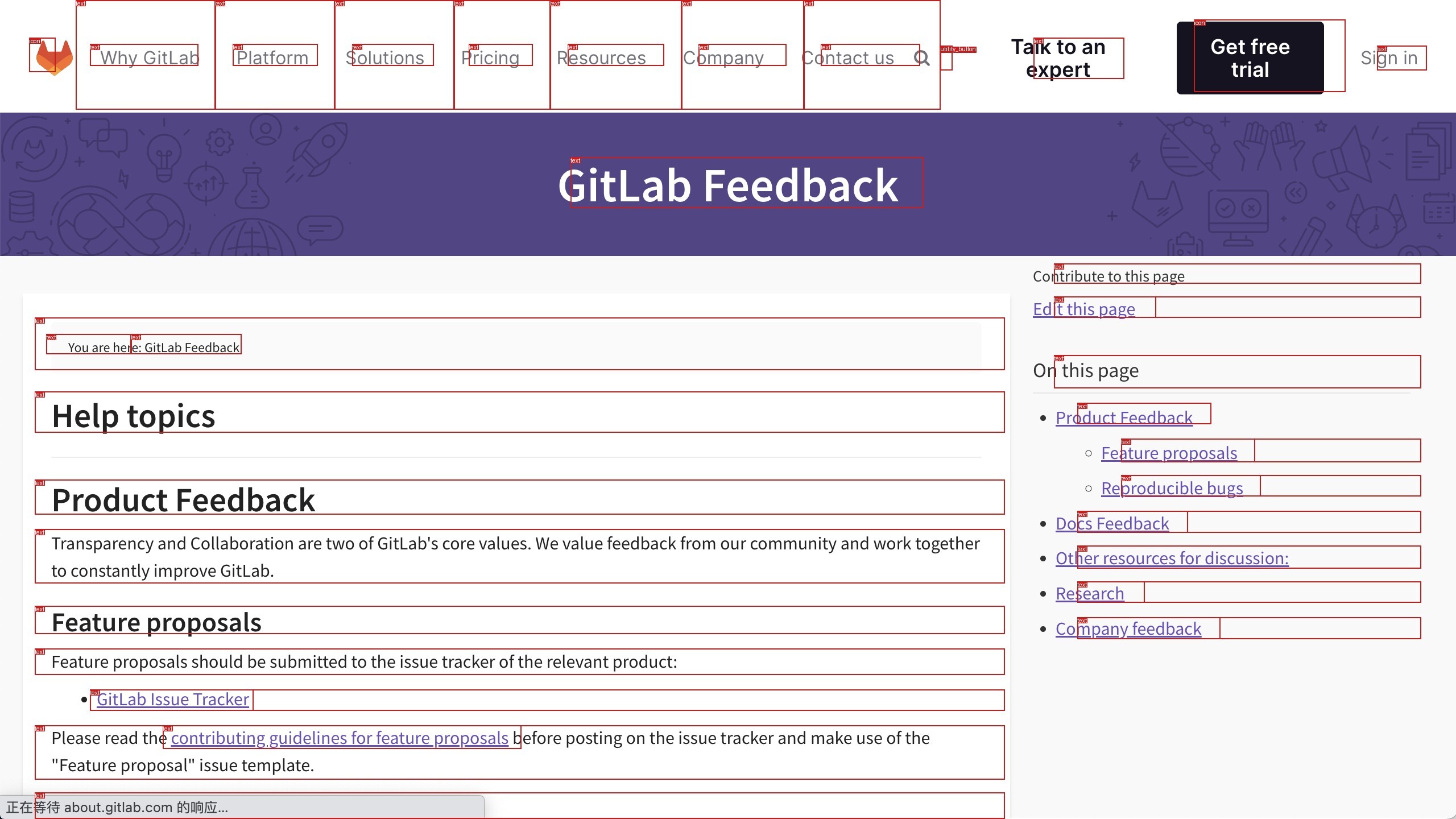
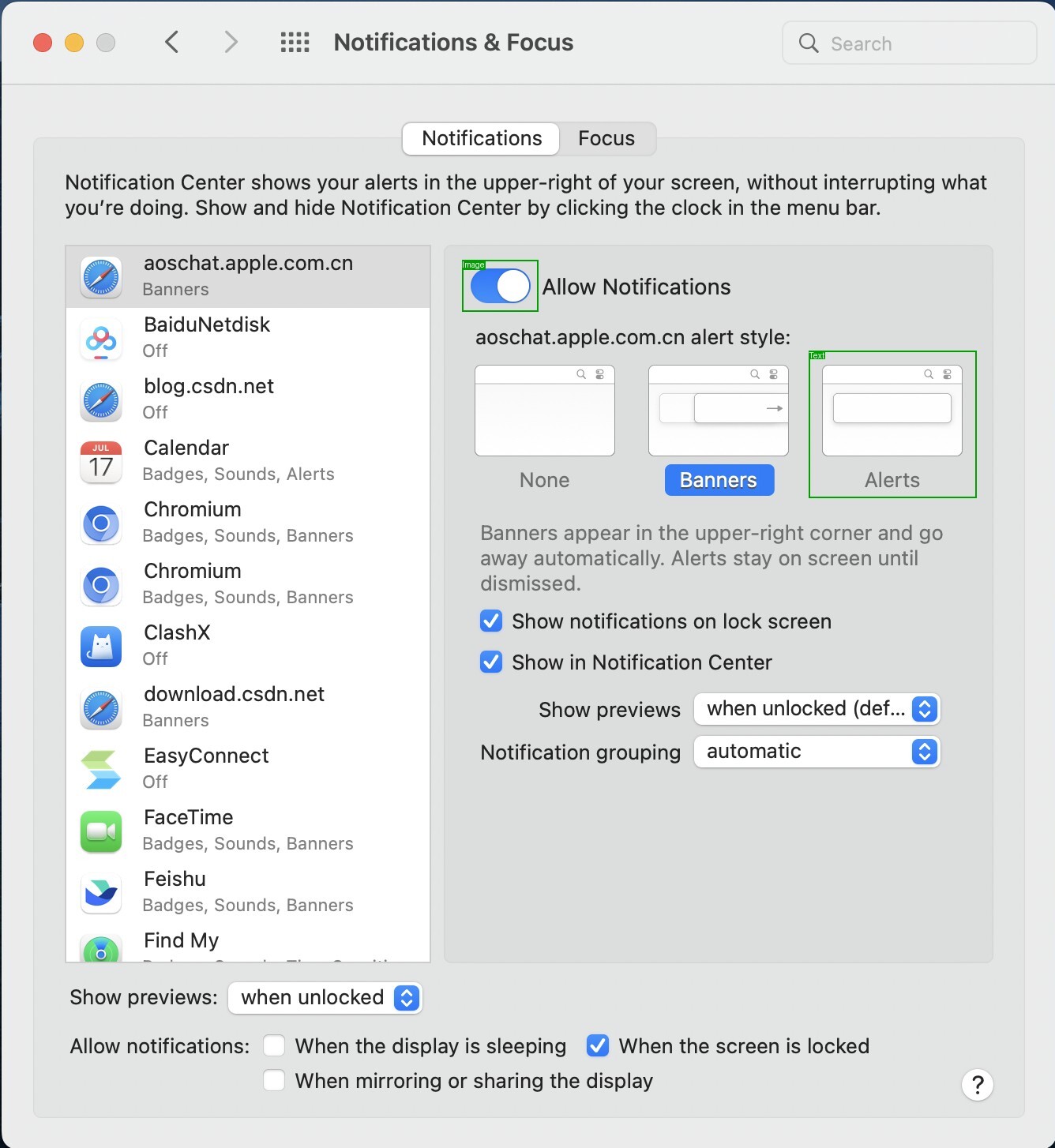
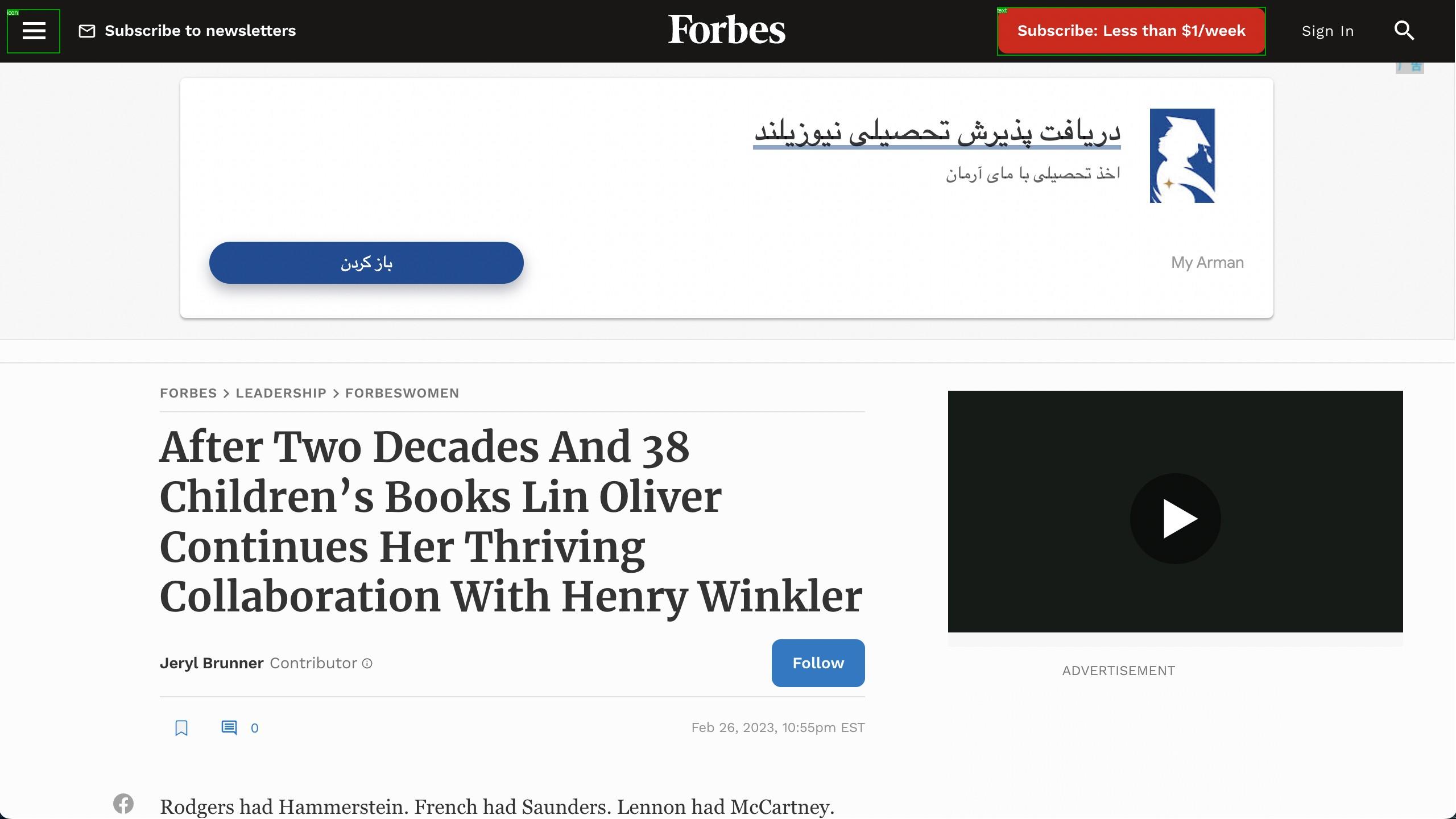
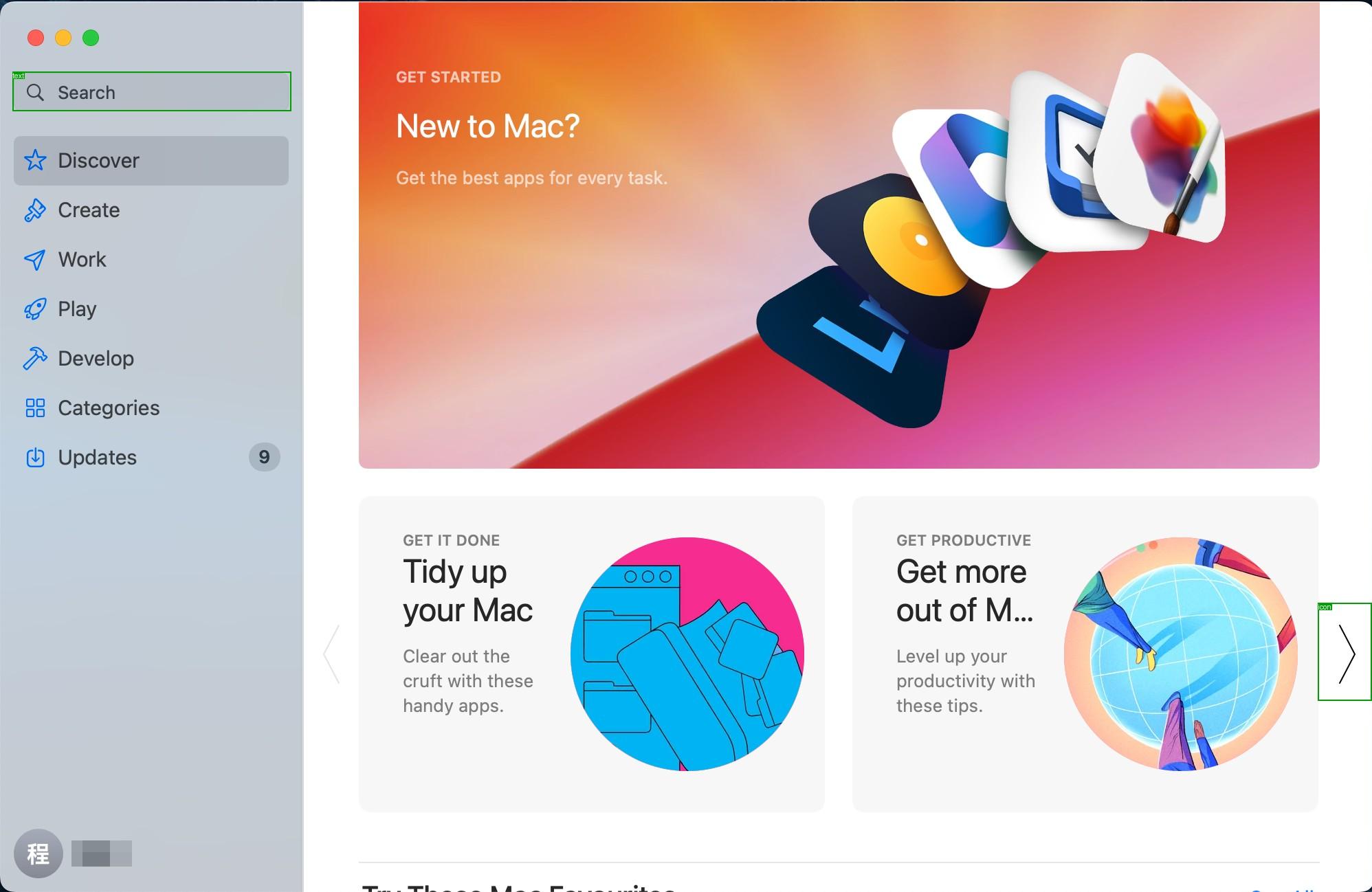
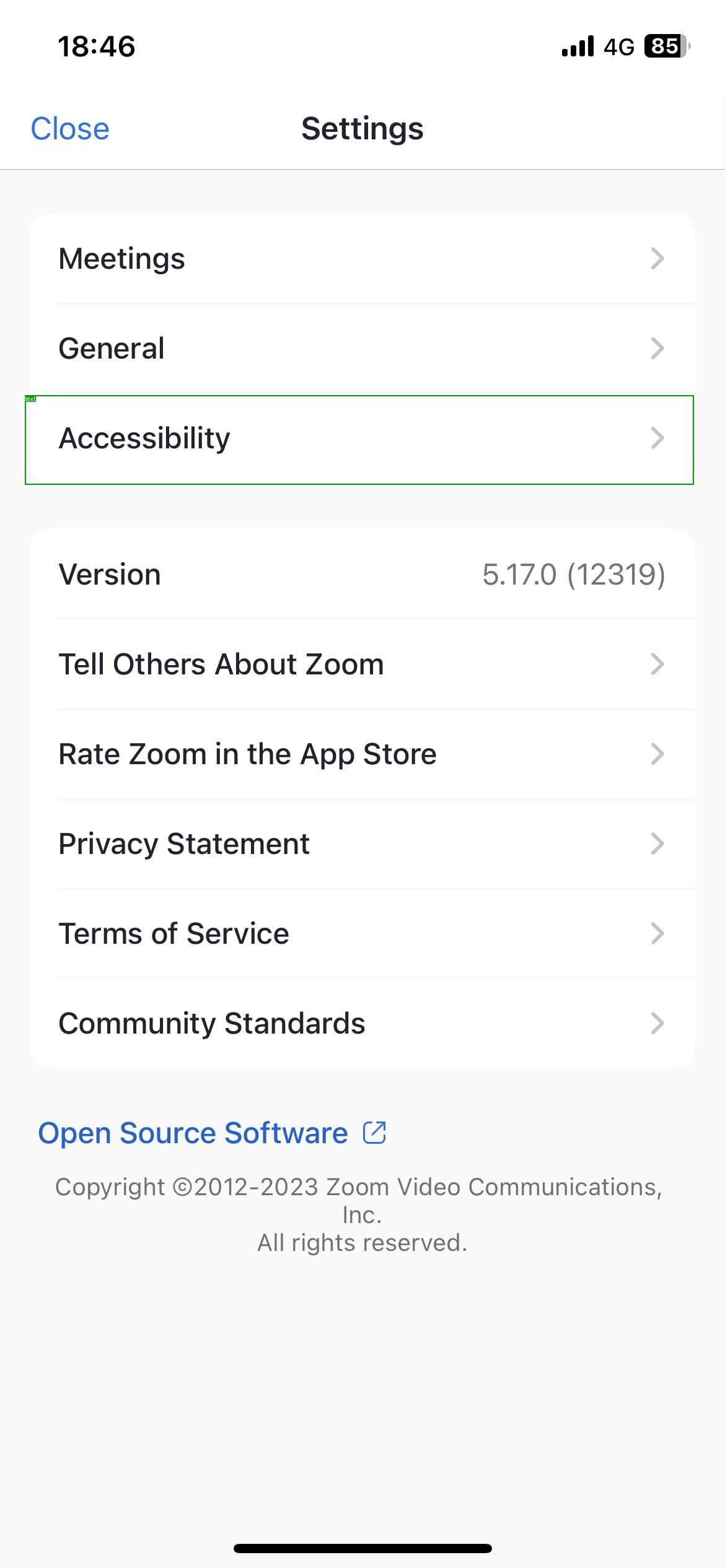
Comparison of ground truth annotations vs. model predictions on diverse web screenshots.

Ground Truth 1

Ground Truth

Prediction 1

ScreenVLM Prediction

Ground Truth 2

Ground Truth

Prediction 2

ScreenVLM Prediction

Ground Truth 3

Ground Truth

Prediction 3

Qwen3-VL Finetuned

Ground Truth 4

Ground Truth

Prediction 4

OmniParser Finetuned

How Do Other Datasets Compare?

Most existing datasets annotate only one or a few elements per screen. ScreenParse provides dense annotations covering every visible UI element. Click any sample to zoom in.

ScreenSpot Web example
Sparse ScreenSpot (Web)
ScreenSpot PC example
Sparse ScreenSpot (PC)
ScreenSpot Mobile example
Sparse ScreenSpot (Mobile)
ScreenSpot-Pro example
Sparse ScreenSpot-Pro
MMBench-GUI example
Sparse MMBench-GUI
UI-Vision example
Sparse UI-Vision
ScreenParse dense annotation
Dense ScreenParse (Ours)

Limitations & Future Work

Current Limitations

ScreenParse is predominantly web-centric, leaving a domain gap to native desktop and mobile applications with different UI toolkits and interaction patterns. DOM-driven extraction can retain residual noise from dynamic content, canvas-heavy interfaces, ads, overlays, or rendering artifacts even after filtering. ScreenParse also uses viewport-level captures rather than scroll-complete page states, which keeps each sample tied to one visible screen but underrepresents below-the-fold UI contexts.

Future Directions

A natural next step is expanding dense parsing supervision to cover native desktop and mobile UIs. Another promising direction is leveraging screen-parsing-pretrained models as visual backbones for vision-language-action agents, capitalizing on holistic screen understanding for improved grounding and decision making.

Citation

Please cite the arXiv version until the official ICML proceedings entry is available.

@misc{gurbuz2026movingsparsegroundingcomplete,
      title={ScreenParse: Moving Beyond Sparse Grounding with Complete Screen Parsing Supervision},
      author={A. Said Gurbuz and Sunghwan Hong and Ahmed Nassar and Marc Pollefeys and Peter Staar},
      year={2026},
      eprint={2602.14276},
      archivePrefix={arXiv},
      primaryClass={cs.CV},
      url={https://arxiv.org/abs/2602.14276},
}